
Hello! Before starting, I’d like to thank you a lot for your purchase! If you’re unsure how to use your newly downloaded emotes, let me show you real quick!
For Twitch
Head to your creator dashboard on Twitch making sure that the menu (the 3-bars icon ≡) is open, and under Viewer Rewards go to Emotes. You can also copy paste this link changing USERNAME by your twitch/channel username:
https://dashboard.twitch.tv/u/USERNAME/viewer-rewards/emotes
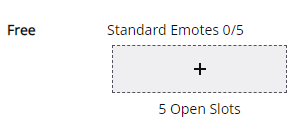
From this page, you’ll have access to follower, subscriber and bits emotes, the upload process for all of them is the same. Click the gray square with a plus mark inside to open the upload emote tab, and uncheck the auto-resize checkmark.
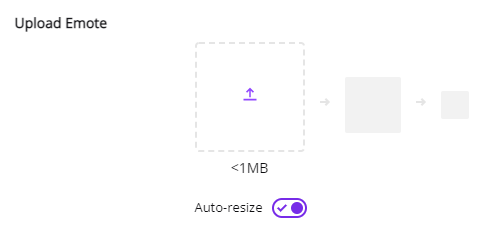
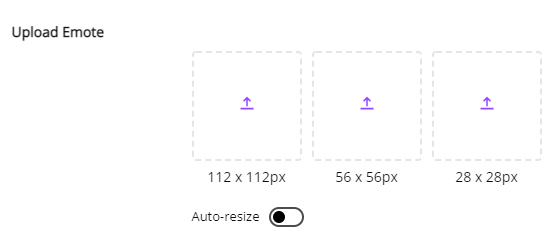
When you uncheck it, you’ll get 3 squares where you’ll upload the 112×112, 56×56 and 28×28 versions of your emote. Simply pick them from your computer and upload each size onto their corresponding square.
A little lower you’ll have the Enter Emote Name field, where you’ll give a name to your emote that will show after your emote prefix. For example, my prefix is lannil, so if the name of my emote is Hype, it’ll show up as lannilHype.

After setting up your emote, it’ll be available at your Emote Library, under the My Collection tab. It’s basically an overview of all of the emotes you have available, in this section you have 50 slots so you can keep them there to easily swap tiers or hide any emotes and put them back on as you wish.
You’re all set! All of my emotes adhere to Twitch’s Emote Guidelines so you have nothing to worry about! If you wanna read more info about it, visit this page where Twitch talks in more detail about Emotes in general. If you have any more questions, feel free to email me or reach out to me on the social media provided on my about page.
For Discord
On your server, click the down arrow next to your server name and go to Server Settings.
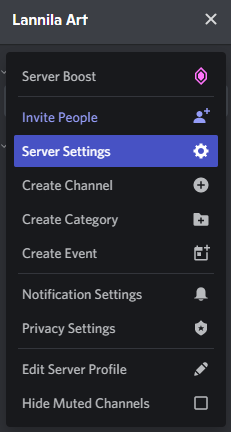
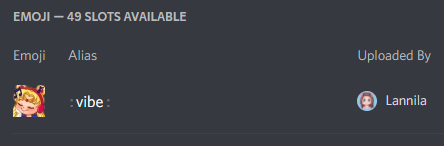
From there, go to Emoji and click on the “Upload Emoji” button. Choose the 112×112 variation of your emote and upload, then change the alias (it’s going to be titled as the file name of your emote) to whatever shortcut you want your server members to use when typing the emote into chat, like :vibe: for example. After that you can leave this panel, your emote will already be available to your community!
If you have any more questions, feel free to hit me up on Discord, my username is Lannila#5272.
* Obviously, you can also use your emotes on other platforms which accept these sizes as well, these are just the most popular ones. If you have any trouble setting them up on other platforms, feel free to email me or message me on my social media provided on my about page.
Have a nice day and happy streaming/chatting!